
A complete workflow for sales and stock
Review the workflows available in Makhazeen, from product setup and checkout to purchasing, customer credit, cash reconciliation and reporting.
Checkout & sales
Scan, search or tap a quick pick. Keep several tickets open and get the queue moving.
- Find products by barcode scanner, name, SKU or PLU, or browse categories and quick picks
- Several open tickets: serve the next customer without losing the first
- Quantity tiers, item and whole-cart discounts, price changes and custom items
- Sell by weight or fractional quantities where the unit allows it
- Pay by cash, card, other or customer credit, with change calculated automatically
- Algerian stamp duty (droit de timbre) applied where it is due
- Automatic or manual receipt printing, with reprints and print history
- Returns, refunds, voids and reopened sales, all governed by permissions
- Keyboard shortcuts throughout the register for experienced cashiers
Card and other payments are recorded manually. Makhazeen does not connect to payment terminals.
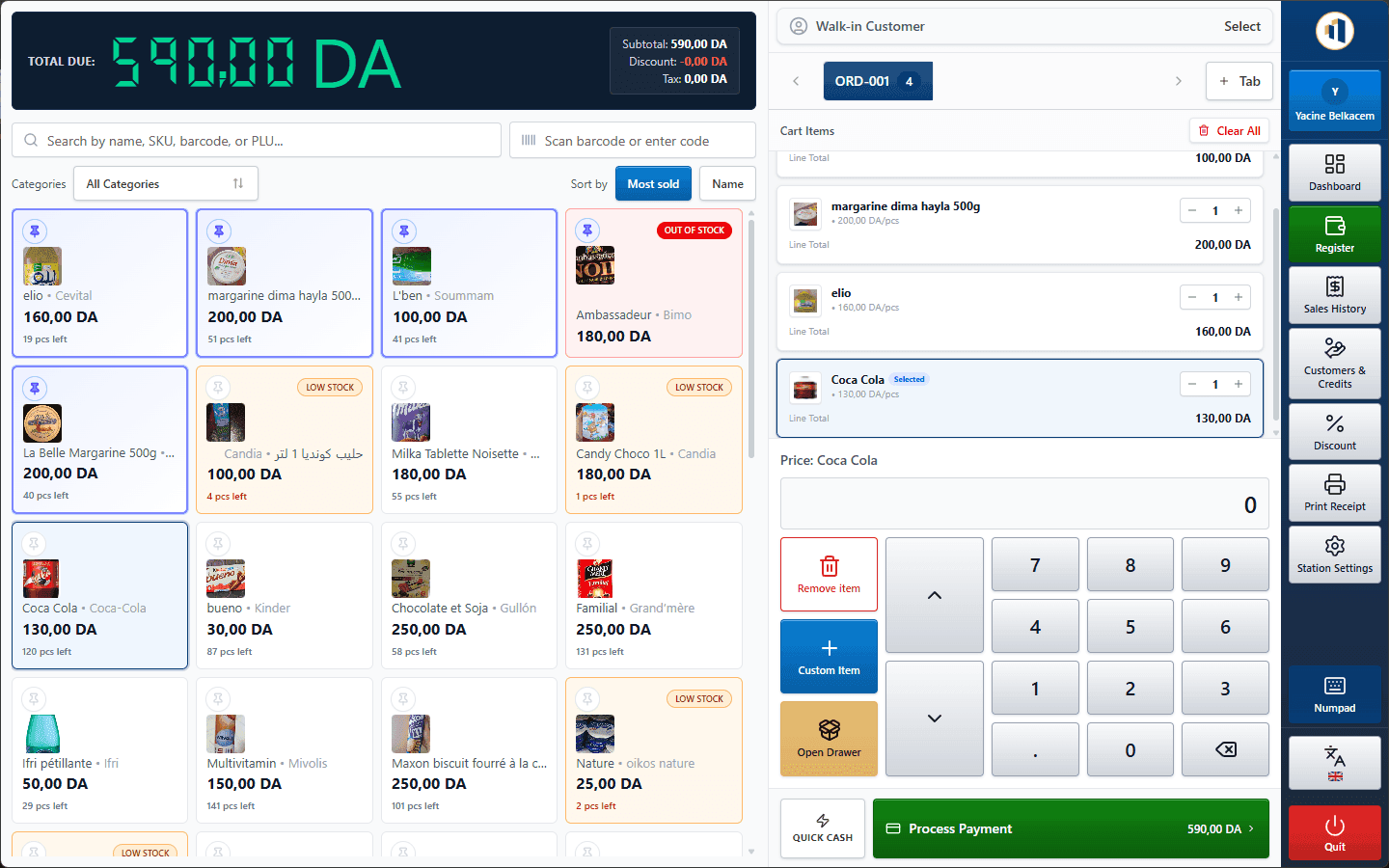
Typical workflow
- Open a ticket
- Scan or search items
- Attach a customer
- Take payment
- Print the receipt
→ Process sales quickly without losing control of prices, payments or permissions.
Catalogue & pricing
Products, categories, brands, units, tax rates, price tiers and kits, all in one catalogue.
- Barcode, SKU and PLU identifiers, images, units and measurements
- Nested categories and brand management
- Cost price, selling price and quantity-based price tiers
- Kit / bundle products built from components
- Bulk tax-rate editing and barcode label printing
- Import aid: browse a bundled Open Food Facts catalogue and import products in batches
- Activate, deactivate, delete and restore products safely
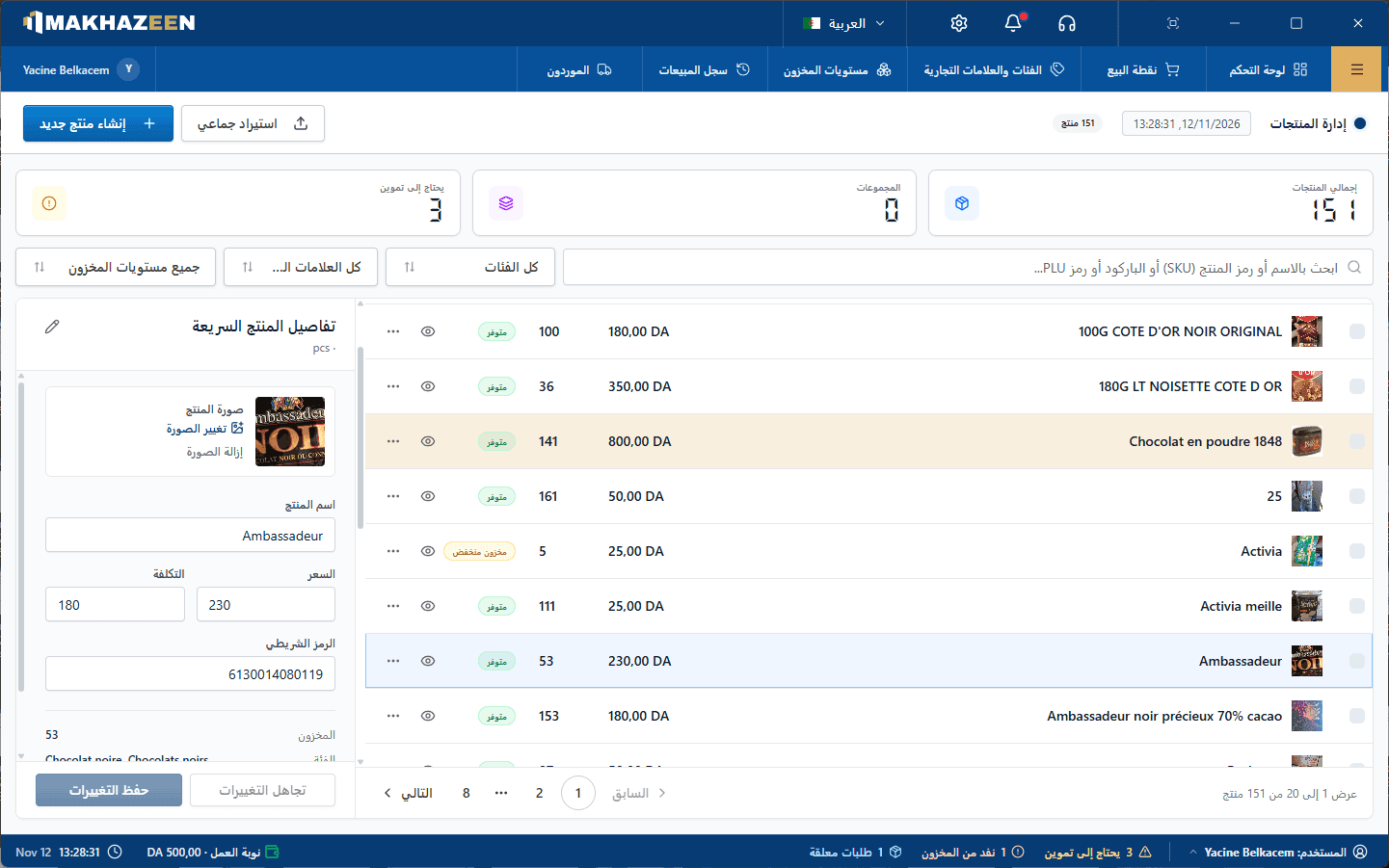
Typical workflow
- Create categories & brands
- Add or import products
- Set price, cost & tax
- Set stock thresholds
- Sell
→ Maintain one reliable product and pricing reference for every station.
Stock & warehouses
Know what is on the shelf and in the back room, and how every quantity changed.
- Stock levels by product and by warehouse, with low-stock status
- Full stock movement history: sales, purchases, returns, transfers and adjustments
- Stock counts and adjustments with recorded reasons
- Transfers between warehouses (multi-warehouse depends on your licence)
- Stock valuation and low-stock reports
- Optional negative-stock selling, controlled per station
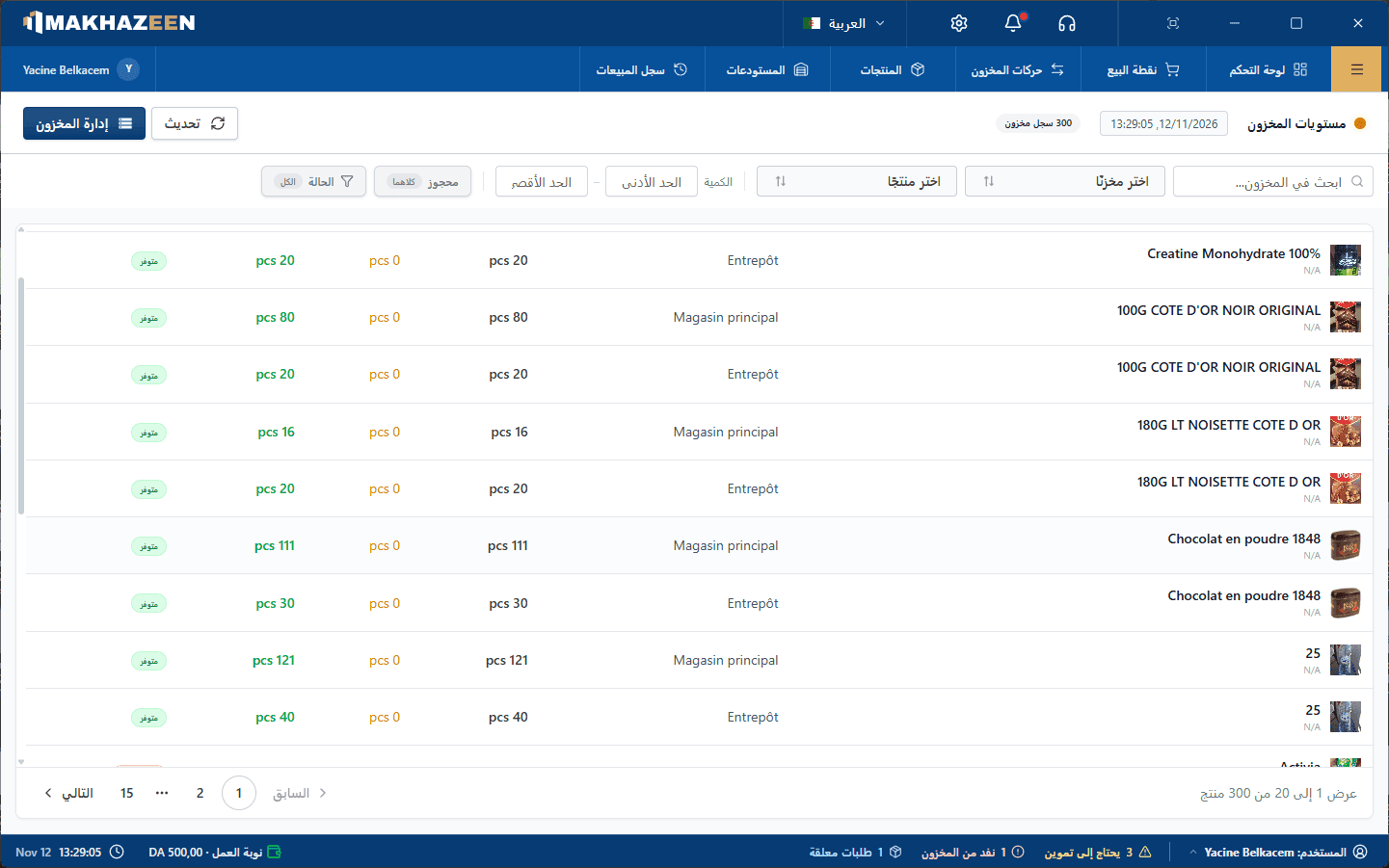
Typical workflow
- Receive or record stock
- Sell from the station's warehouse
- Review movements
- Count, adjust or transfer
→ See the current quantity and the movement history that produced it.
Suppliers & purchases
Order, receive and pay suppliers, and always know what you still owe.
- Supplier records with contact details, status and balance
- Create purchases, receive the quantities that actually arrived and record payments
- Receiving updates stock and cost price automatically
- Optional automatic purchase orders when products fall below their threshold
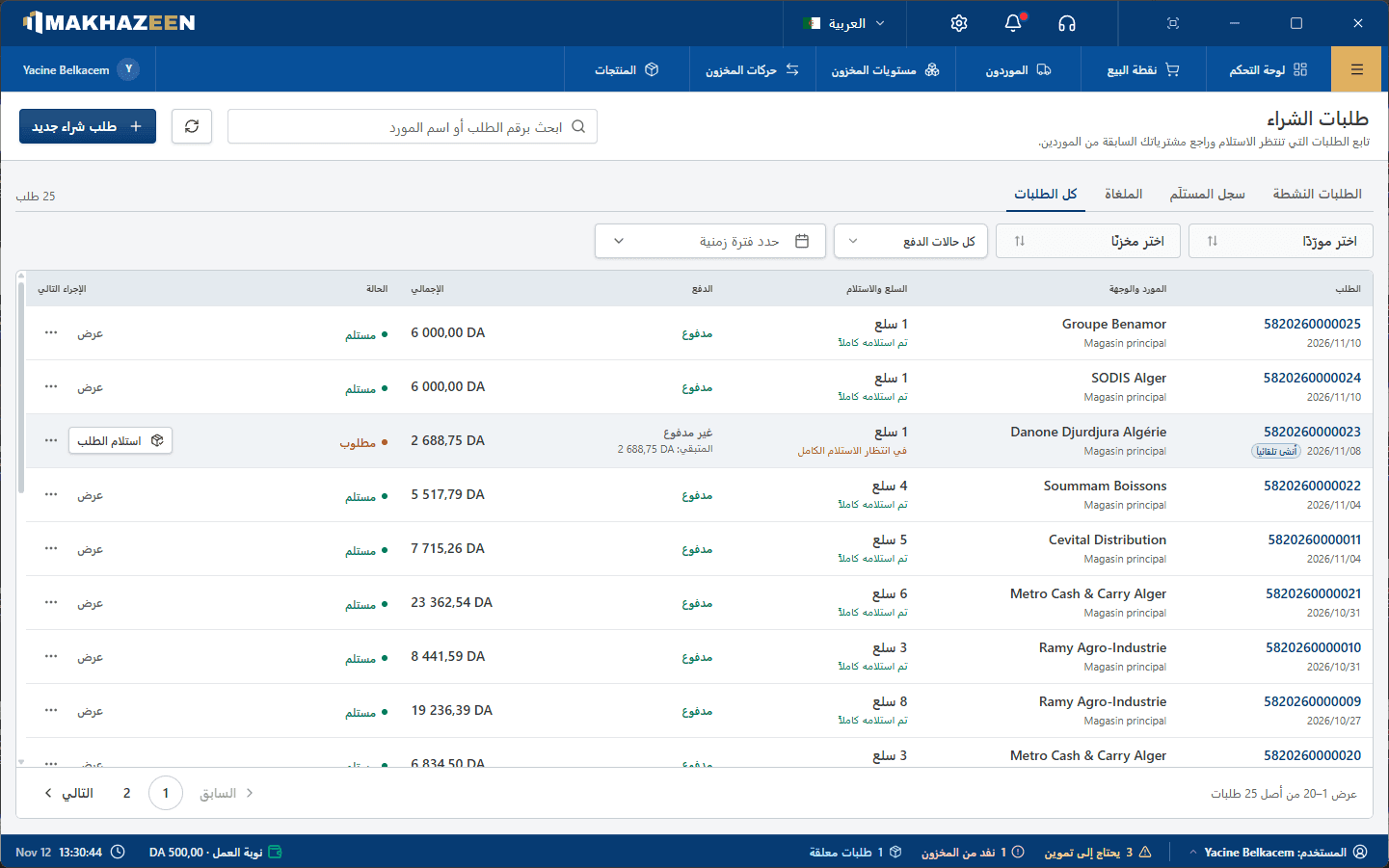
Typical workflow
- Spot low stock
- Create a purchase
- Record supplier payment
- Receive actual quantities
- Check balances
→ Connect supplier ordering, receiving, stock cost and outstanding balances.
Customers & carnet
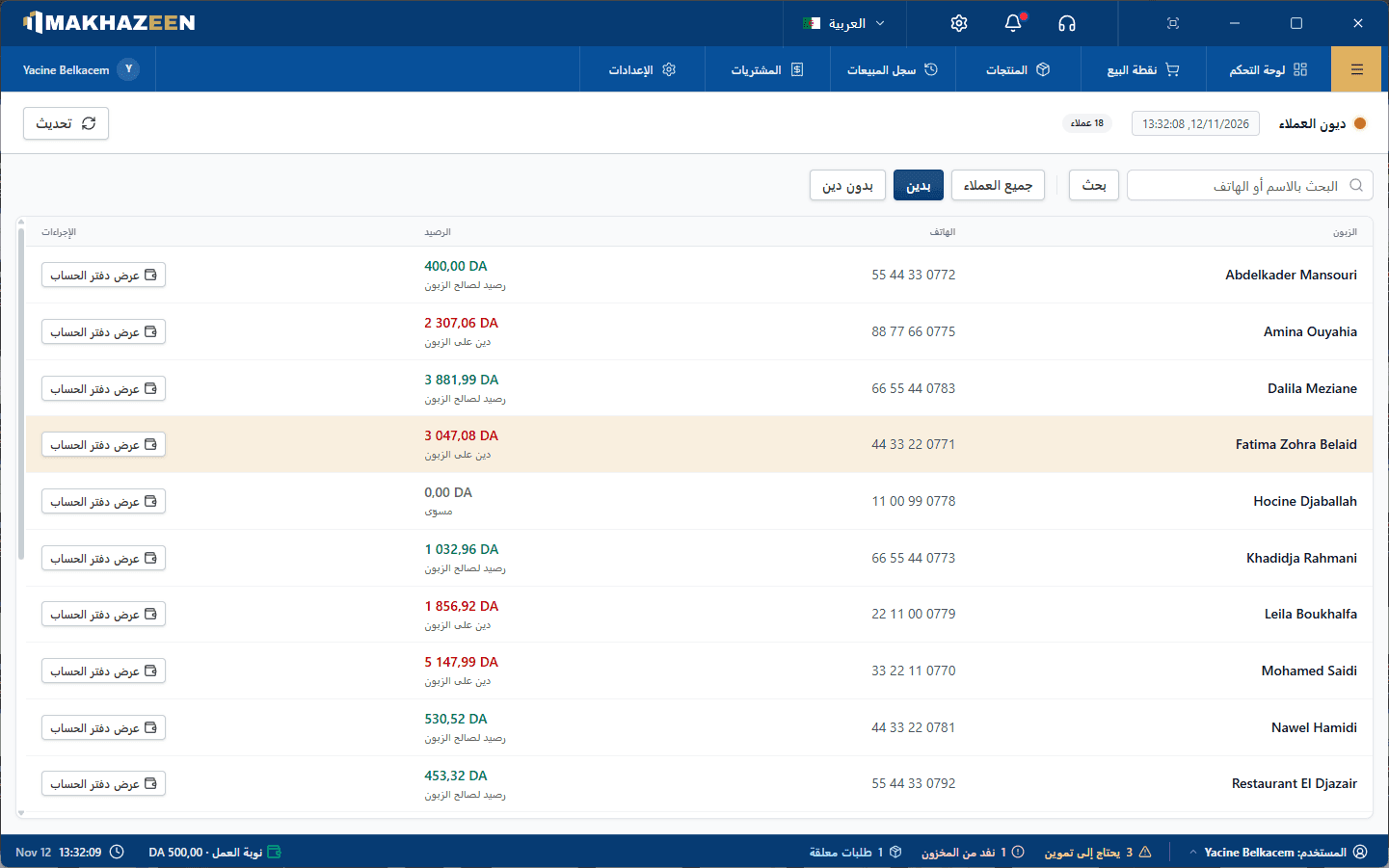
The credit notebook, digitised. See who owes what and collect payments later.
- Customer records with contact and commercial details
- Partial payments put the remaining balance on the customer's carnet
- Credit ledger and payment history for every customer
- Record a customer payment against their outstanding balance at any time
- Walk-in sales can never silently carry an unpaid balance
- Customer carnet balance report
Typical workflow
- Select the customer
- Take a partial payment
- Balance goes on the carnet
- Collect later
- Check the ledger
→ Maintain an auditable customer credit ledger instead of an informal notebook.
Staff & cash register
Roles, permissions, manager approval and register shifts for accountable daily operation.
- Employee accounts with role-based and per-employee permissions
- Manager override for sensitive actions such as large discounts
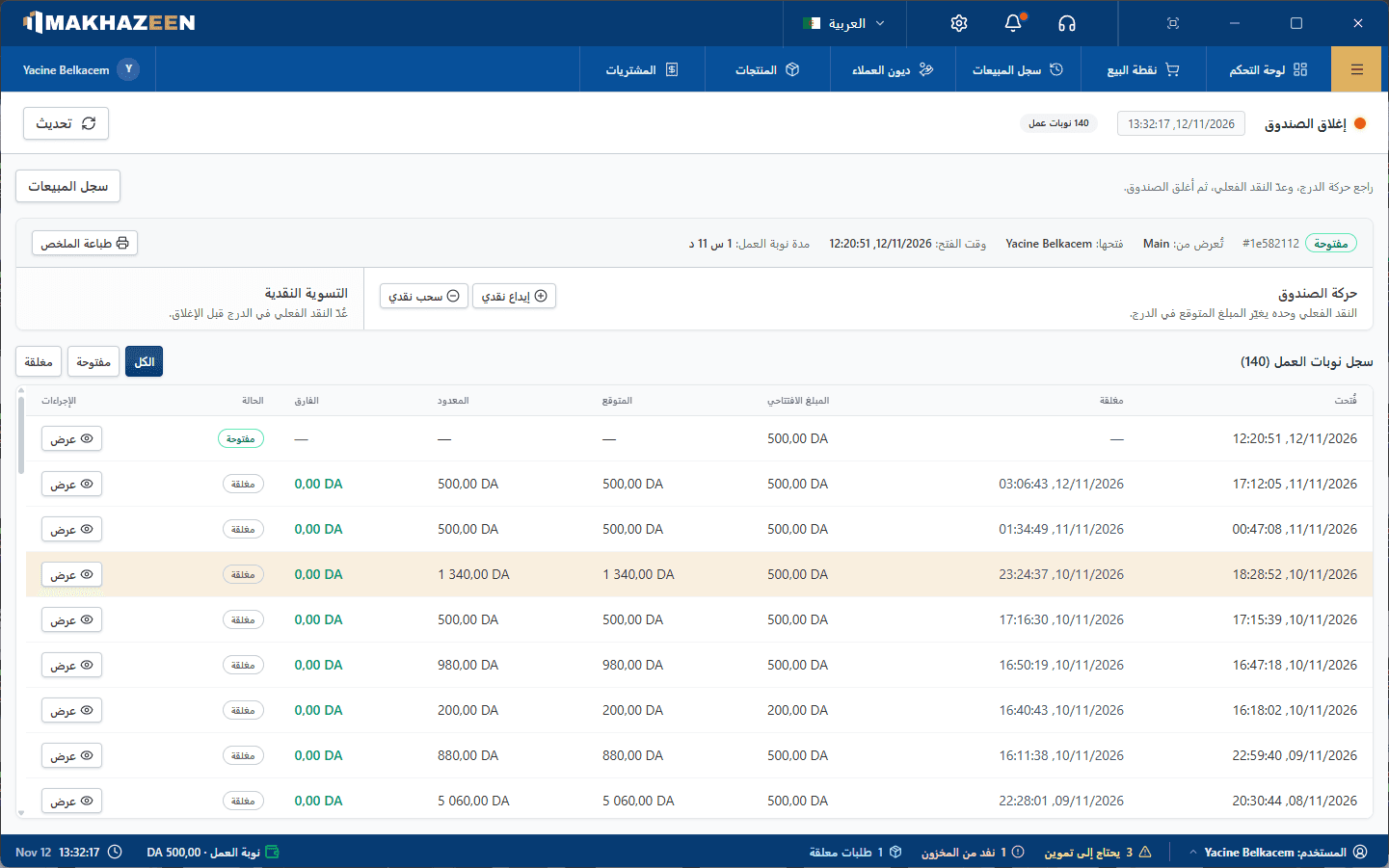
- Register shifts: opening float, cash in / cash out, counted close (licensed module)
- Expected vs. counted cash comparison and closing history
- Discounts, voids, refunds and returns feed loss-prevention reports
Typical workflow
- Cashier signs in
- Opens the shift
- Sells & records cash moves
- Counts the drawer
- Manager reviews
→ Restrict sensitive actions and reconcile expected cash against the amount counted.
Documents & printing
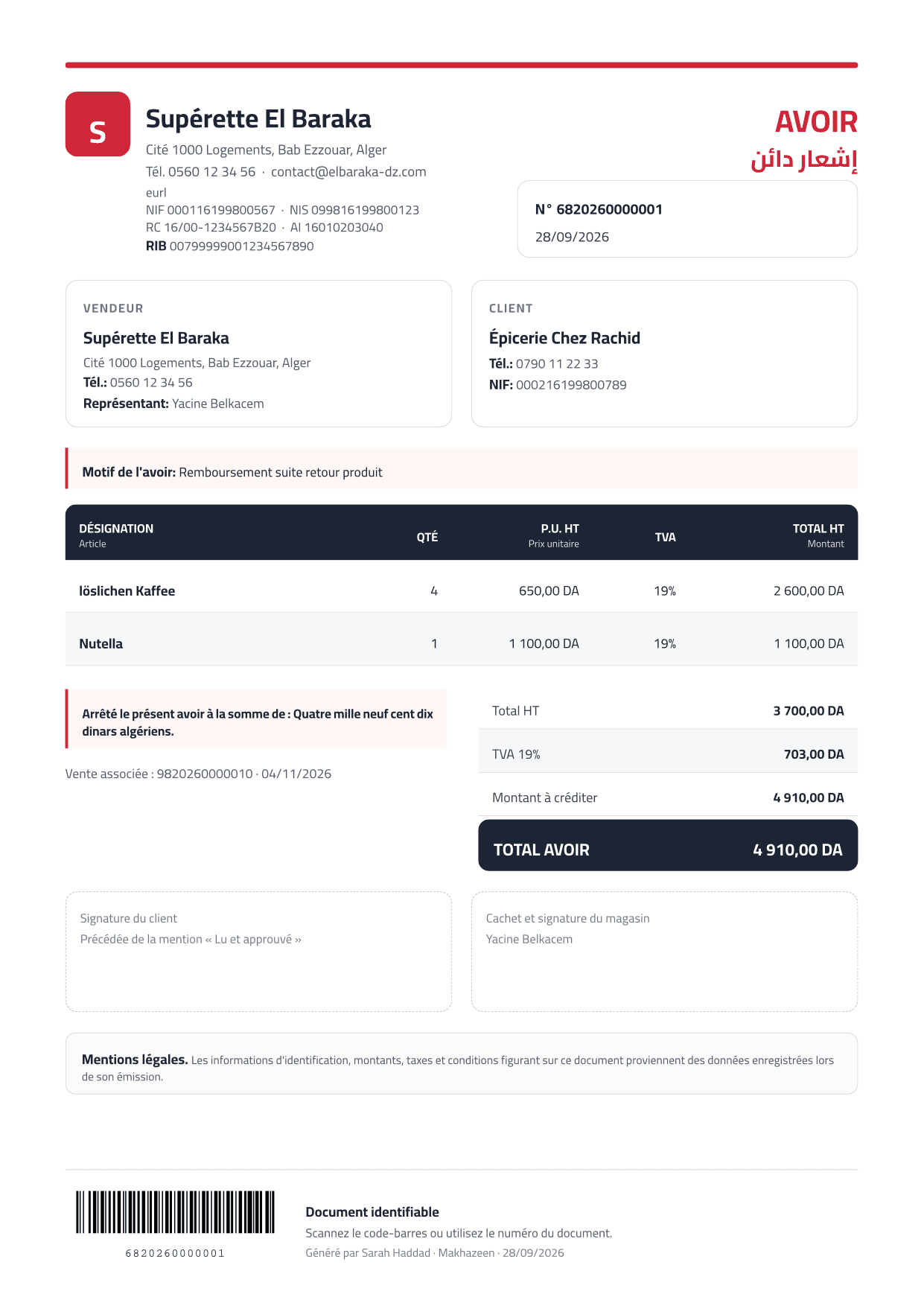
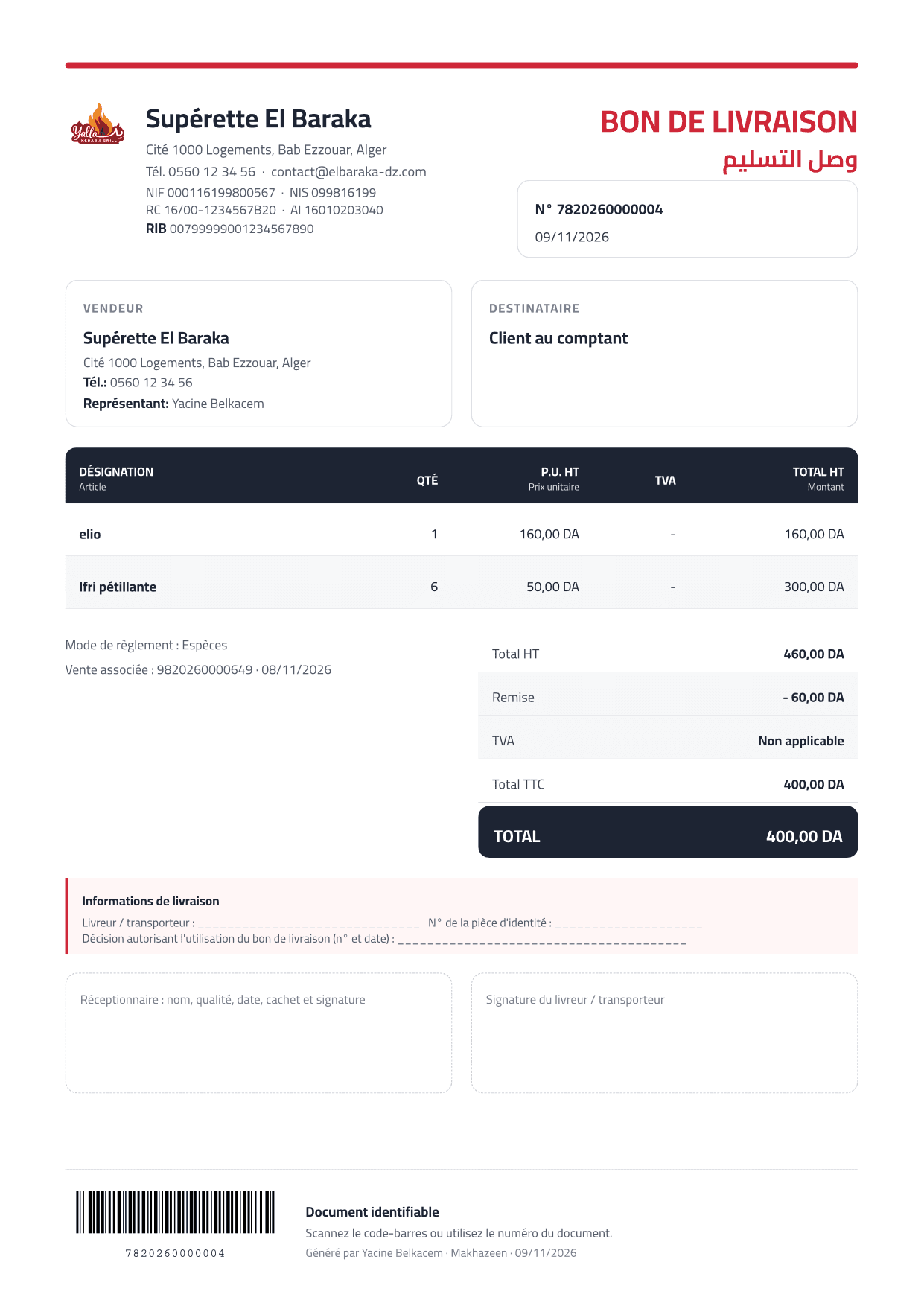
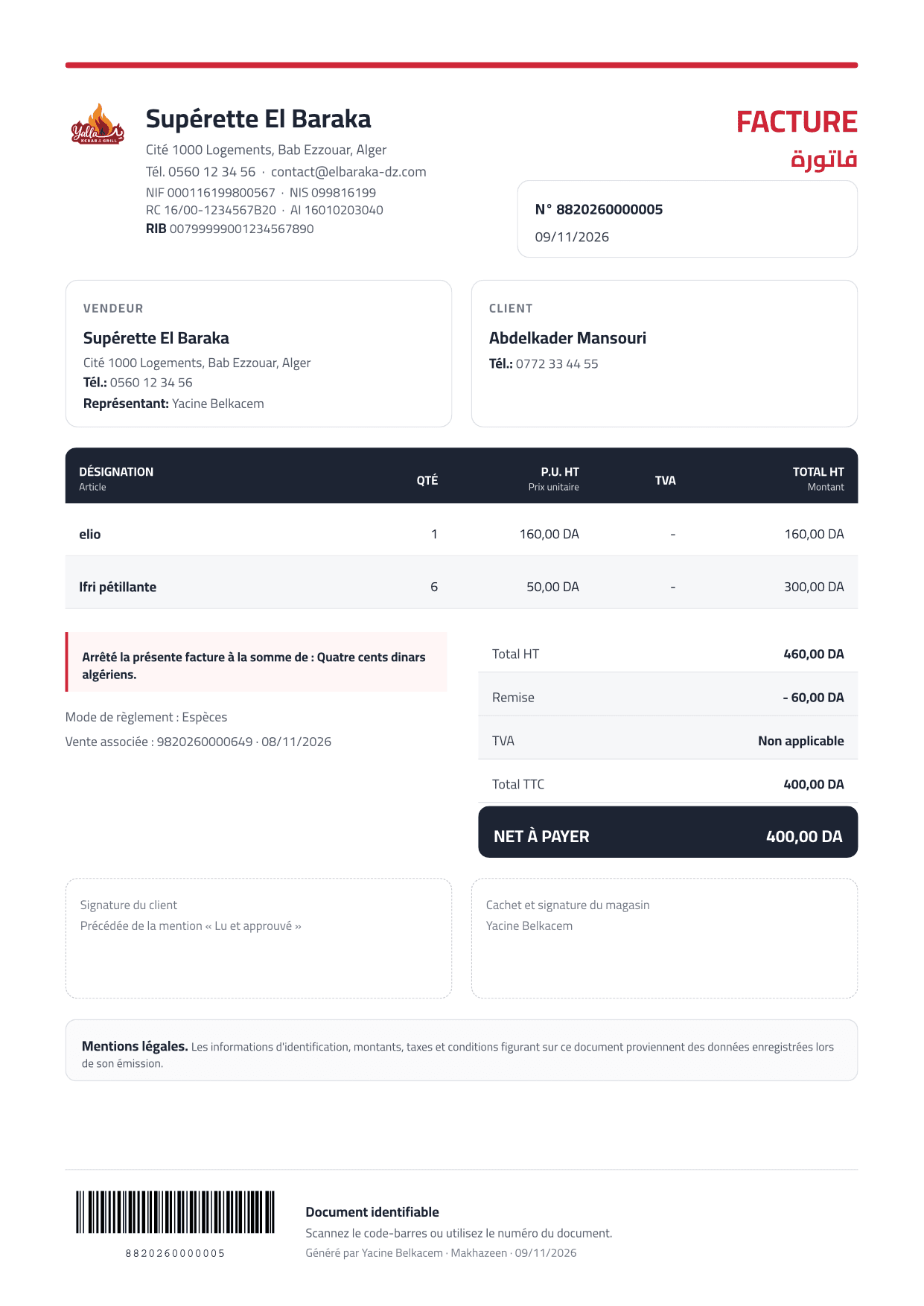
Invoices, delivery notes and credit notes generated from your sales.
- Invoices, delivery notes (bons de livraison) and credit notes from sales
- Preview, print or save as PDF
- Your business identity and tax fields, with tax breakdown and stamp duty
- Receipt printers and barcode label printers configured per station
Typical workflow
- Open a sale
- Generate the document
- Preview
- Print or save as PDF
→ Issue consistent sales documents using the business and tax details already configured.
Expenses & reports
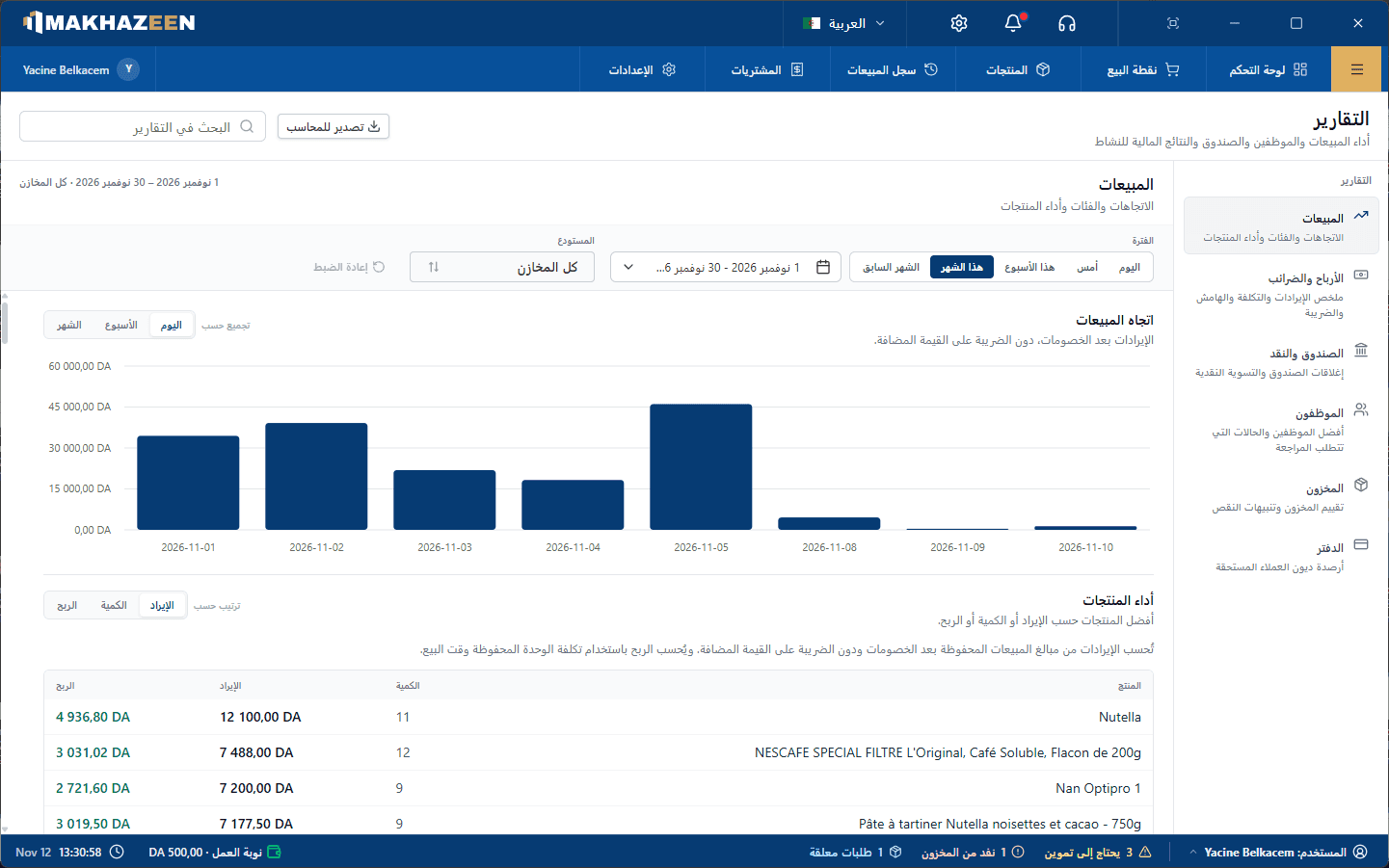
Sales, profit, TVA, staff and stock reports, plus an Excel export for your accountant.
- Sales trends, sales by category, best sellers and product performance
- Profit & loss with TVA summary, using cost captured at the time of sale
- Employee performance and loss-prevention exceptions
- Stock valuation, low stock and customer balances
- Expenses, including recurring schedules you can pause and resume
- Multi-sheet Excel (.xlsx) export and PDF reports, filtered by period and warehouse
Typical workflow
- Pick a period
- Review revenue, margin & tax
- Investigate exceptions
- Export for the accountant
→ Review performance, exceptions and balances from the same operational records.
Offline, LAN & backup
Your data lives in your shop. Keep selling when the internet drops, with several tills on one network.
- One Windows PC hosts the database; other tills connect over the shop network
- Core selling and inventory work never needs internet
- Guided setup: licence, server/client mode, business, admin, warehouse, station
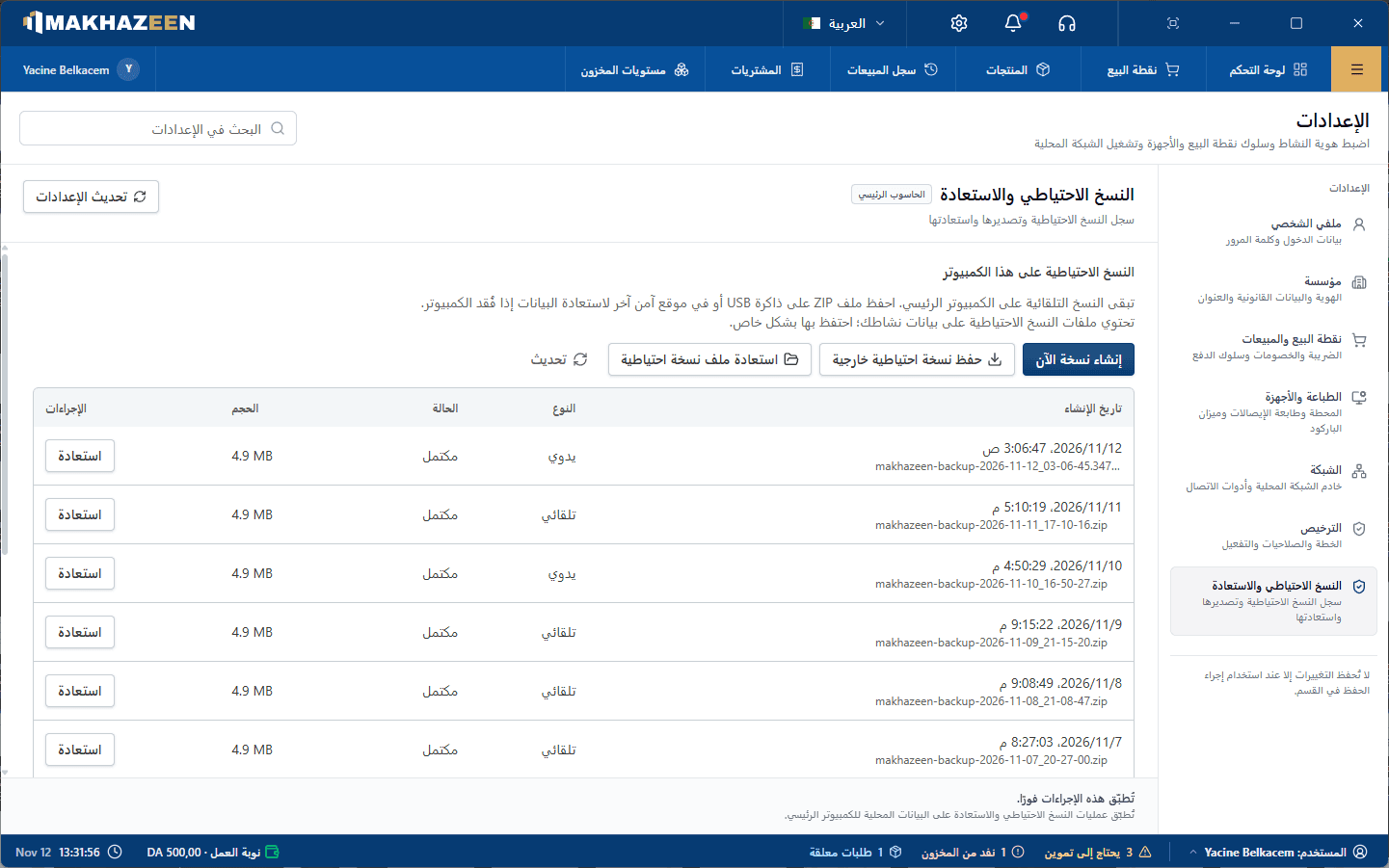
- Automatic daily local backups, with create and restore from the app
- Optional cloud backup & sync (licensed module, needs internet)
- Online or offline licence activation
Typical workflow
- Install on the main PC
- Add tills on the LAN
- Sell offline
- Back up automatically
→ Keep core operations available on the local network during an internet outage.
Choose the modules required by your operation
The core licence covers sales and inventory. Register shifts, automatic purchase orders, additional warehouses and cloud backup & sync can be included when required.
See pricingBuilt for speed at the counter
The register is designed for barcode scanners and keyboards. Built-in shortcuts let experienced cashiers work without the mouse, and an on-screen shortcut legend helps new staff learn them.
Hardware questions? Read the FAQSee whether Makhazeen fits your operation
Tell us how many stations and stock locations you use. We will prepare a clear licence quote, or demonstrate the relevant workflows first.